Link Shortener

Short links with analytics,
built to perform.

Turn long URLs into clean, branded links. Control when they're active, who can access them, and track every click.

Short links are publicly accessible URLs — they are not covered by HashThat's zero-knowledge encryption model. For encrypted content sharing, see Passwords or Notes.
Link shortener dashboard screenshot

What you can use it for

From personal sharing to professional campaigns — short links fit anywhere you share a URL.

Marketing campaigns

Share clean, branded links in ads, emails, and social posts. Track clicks to measure what's working.

Time-limited promotions

Set a link to go live at the start of a sale and expire automatically when it ends — no last-minute edits.

Gated content

Password-protect a link to share a resource privately — a report, a video, or an invite — without creating an account for each recipient.

QR codes for print

Generate a QR code for any link and drop it on printed materials, packaging, or physical signage.

Personal link sharing

Clean up the long URLs you send to friends, family, or colleagues. Short links look better and are easier to type.

Performance tracking

See total clicks, click-over-time charts, and unique visitor data to understand how your links are performing.

Everything your links need

Create, control, and track short links with a full set of tools built in.

Custom Short Links

Turn any long URL into a clean, branded short link. Use custom aliases to make links memorable and professional.

Click Analytics & UTM

Track total and unique clicks, clicks over time, referrers, geography, and full UTM attribution — source, medium, campaign, term, and content.

Click Limits

Cap how many times a link can be followed. Once the limit is reached the link deactivates automatically — no manual action needed.

Bulk Link Uploading

Import hundreds of short links at once via CSV or JSON. Perfect for migrations, large campaigns, or managing whole link sets in one go.

Validity Windows

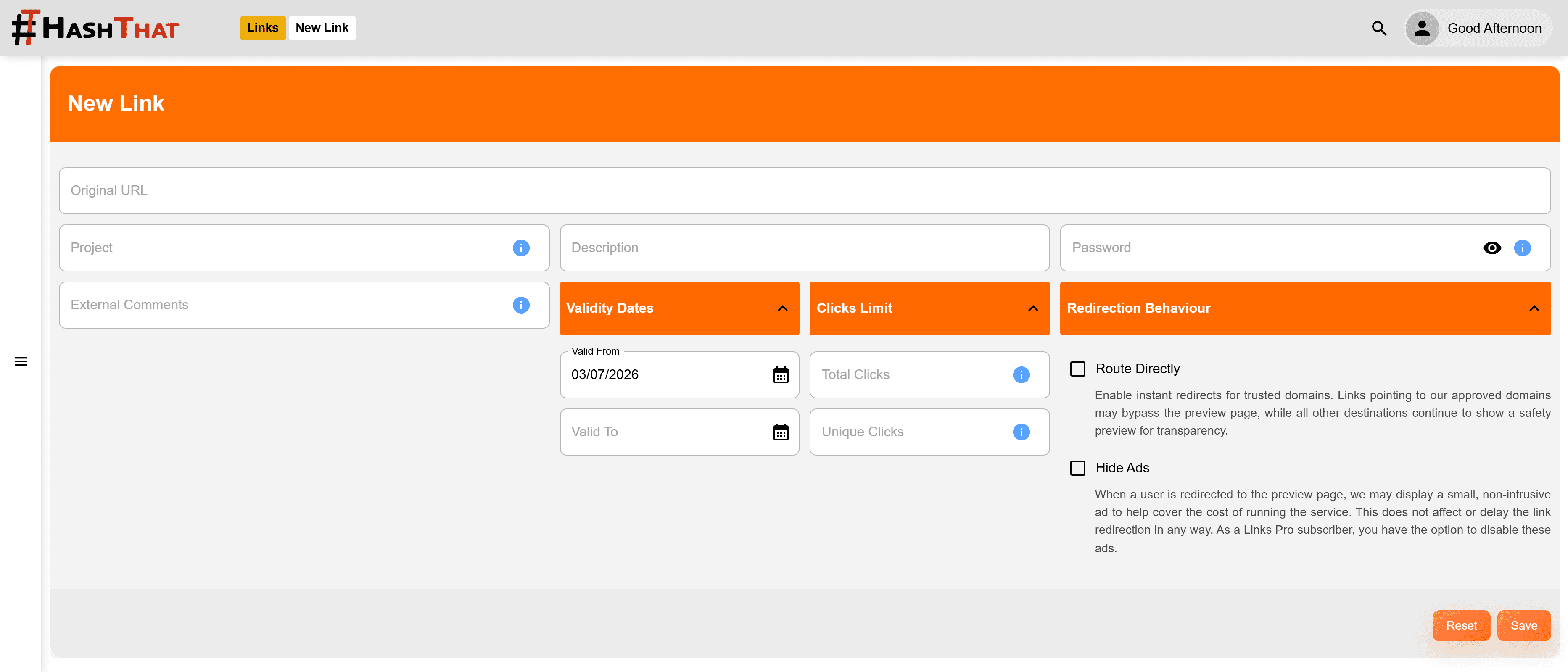
Set a start date and an end date for any link. The link automatically activates and expires on schedule — no manual action needed.

Password Protection

Add a password to any link. Visitors must enter the correct password before being redirected — great for gated content or private sharing.

QR Code Generation

Every short link comes with a downloadable QR code. Share offline on printed materials, posters, or business cards.

Link Projects

Organise your links into projects to quickly filter, group, and find them. Keep your workspace tidy as your link library grows.

Edit Destination URL

Change where a short link points at any time without breaking existing shares or QR codes.

Analytics & UTM

Know exactly who clicked, from where, and why

Full UTM attribution alongside click-level detail — all in one dashboard. Understand which campaigns and channels are actually driving traffic, right down to individual UTM parameters.

Link analytics dashboard screenshot
Access Controls

Control who can use a link — and when

Links don't have to be open forever. Set dates to automatically activate and expire them, or add a password so only the right people get through.

Link validity and password settings screenshot
Safe Redirects

Your audience always knows where they're going

Short links hide the destination. HashThat gives visitors confidence — while keeping the experience instant for destinations we trust.

  • Approved domain list

    Add your own domains as trusted. Links pointing to approved domains may be redirected instantly — no preview, no friction.

  • Safety preview for unknown destinations

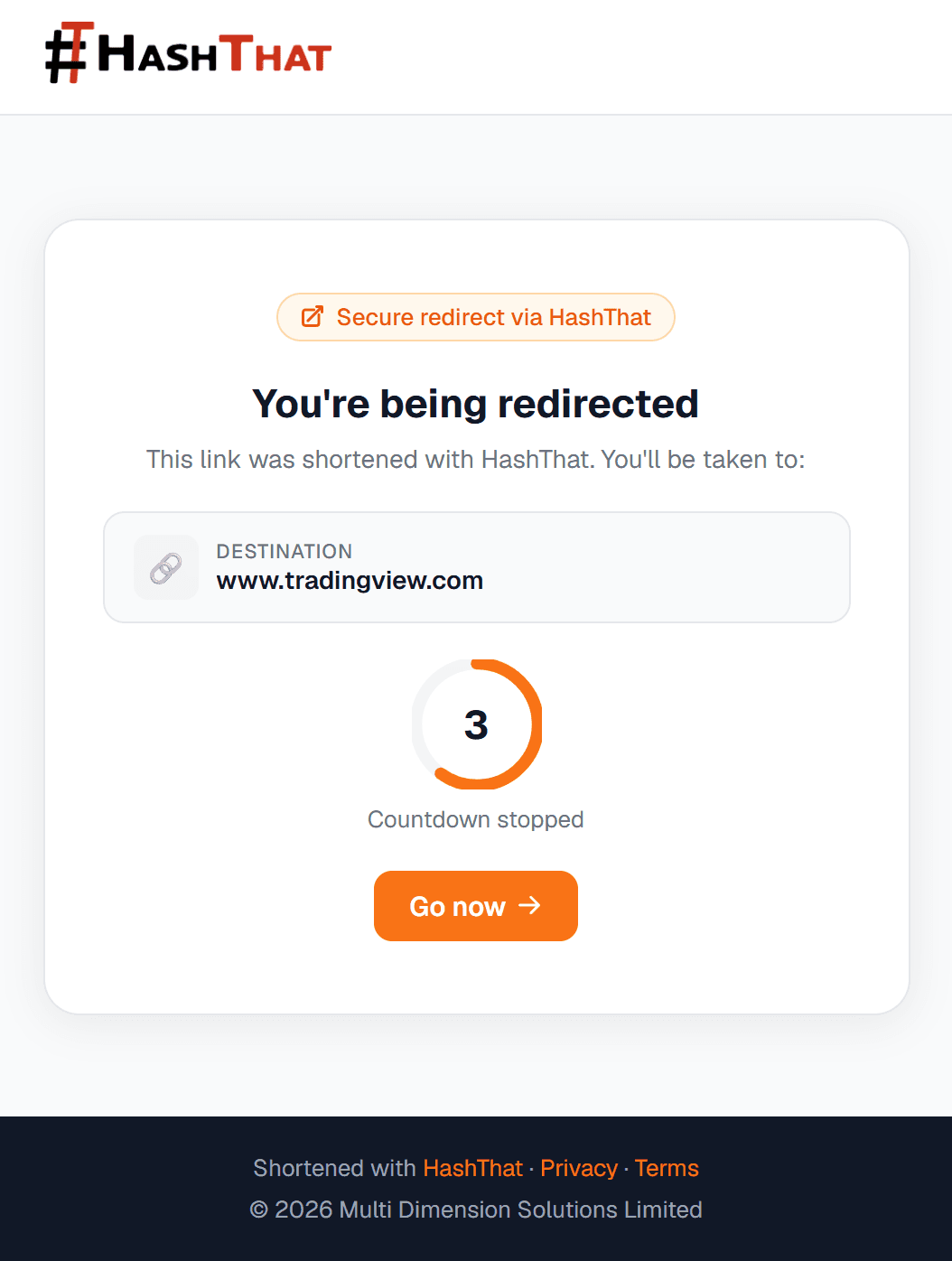
    When a link points outside our approved list, visitors land on a preview page showing the full destination URL before they choose to proceed. No surprises.

  • Direct redirect for trusted domains

    Approved domains may skip the preview entirely — keeping the experience seamless for your own content.

How it works

  1. 1Visitor clicks your short link.
  2. 2HashThat checks whether the destination domain is on our approved list.
  3. Approved domain: instant direct redirect — zero extra clicks.
  4. iUnknown domain: preview page shows the full destination URL so the visitor can decide whether to continue.

Frequently Asked Questions

Are short links encrypted?

No. Short links are publicly accessible URLs — they are not covered by HashThat's zero-knowledge encryption model. Anyone with the link can visit it. If you need to share content privately and encrypted, use the Password Manager or Encrypted Notes features instead.

Can I limit how many times a link can be clicked?

Yes. Set a maximum click count when creating or editing a link. Once that limit is hit the link deactivates automatically — visitors will be told the link is no longer active.

How does the safety preview page work?

When a short link points to a domain that is not on your approved list, visitors are shown a preview page displaying the full destination URL before they proceed. Links pointing to approved domains skip this step and redirect immediately.

What UTM parameters are tracked?

All five standard parameters are captured: utm_source, utm_medium, utm_campaign, utm_term, and utm_content. Filter and break down your analytics by any of them from the dashboard.

How do I upload links in bulk?

Prepare a CSV or JSON file with your destination URLs, aliases, and optional settings (expiry, click limit, password), then import it from your dashboard. All links are created in one go.

Do links come with a QR code?

Yes. Every short link automatically generates a downloadable QR code so you can use it on printed materials, presentations, or physical signage.

Can I edit the destination URL after creating a link?

Yes. You can update the destination URL at any time without changing the short link itself — useful when a page moves or a campaign redirects.

Start shortening links today

Free to get started. No credit card required.