Security Pro
Security Pro from €0.89/month
Security Pro
Protect your account with 2FA, device controls, and real-time alerts while keeping your encrypted vaults completely private.
Every tool you need to lock down your account and stay in control of who has access.
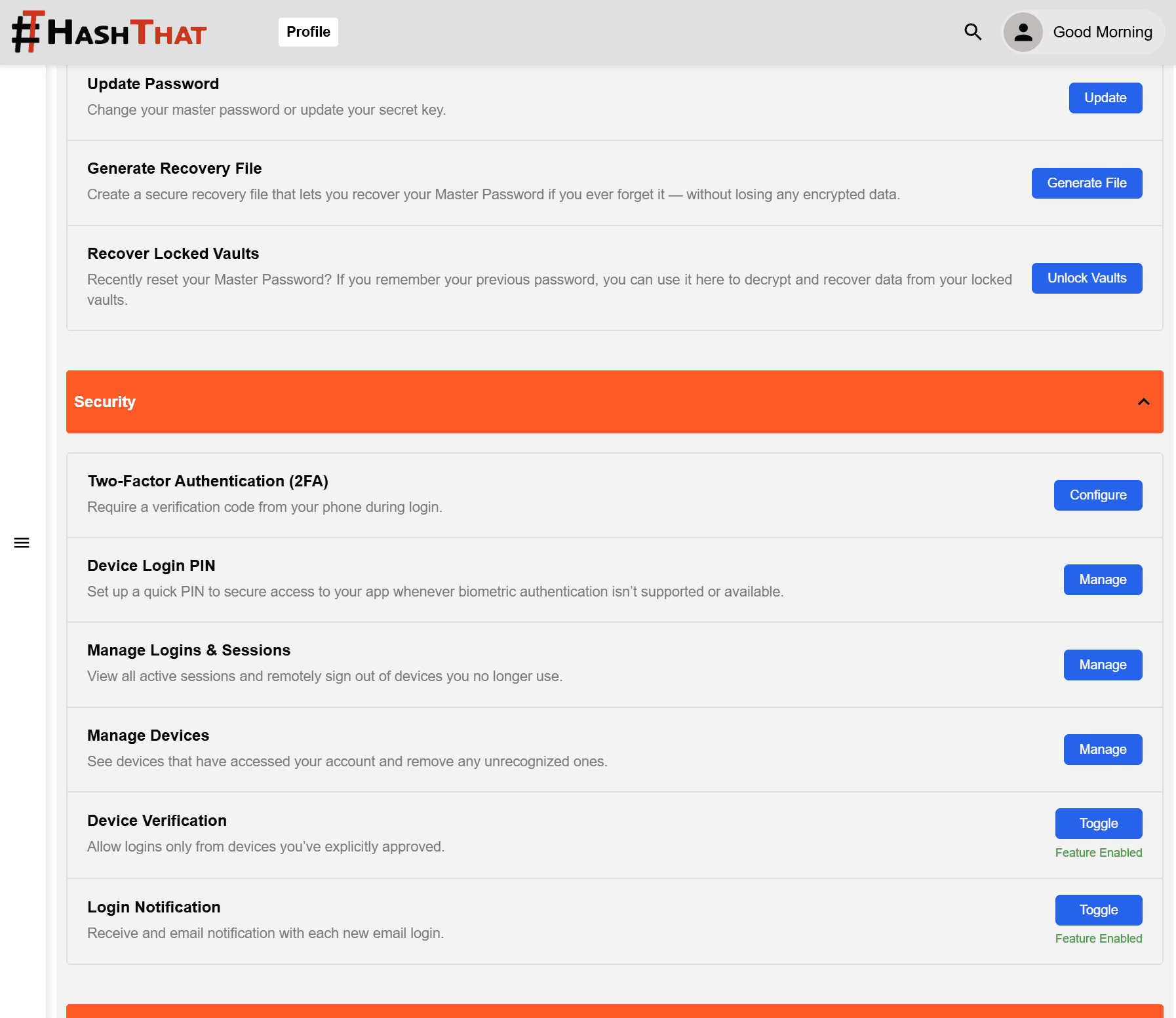
Add a second layer of protection to your account. Even if someone gets your password, they cannot log in without your second factor.
Every new device that attempts to log in to your account must be verified before access is granted. Unrecognised devices are blocked until you approve them.
Suspicious or new login attempts trigger an approval check. You decide whether to allow or deny access in real time.
See all devices currently logged in to your account. Revoke access for any device instantly — including ones you've lost or no longer use.
Stay logged in across multiple devices simultaneously. Your sessions are managed securely and you can terminate any of them remotely.
Get notified whenever your account is accessed — new logins, device additions, and security events are flagged immediately.
Your password does more than log you in — it seeds the encryption that locks your entire vault. We never store it, see it, or have any way to access what's inside.
Your password authenticates you to your HashThat account — protected by 2FA and device verification when Security Pro is active.
Your password seeds a complex encryption algorithm that locks your vault on-device. The encrypted result is what gets stored — never the password itself, and never your raw data.
Changed your password?
Your account keeps working and a fresh vault is created with your new password. Your old vault stays locked but is not lost — if you remember your previous password, you can unlock it and your vaults will be joined together. A Recovery File only unlocks the vault it was generated for — regenerate one from your settings whenever you change your password to keep it up to date.
Because of the zero-knowledge model, we cannot reset your Master Password or unlock your vaults for you. But we've built a recovery mechanism that gives you a way back — without ever compromising the privacy of your data.
You can generate a Recovery File at any time from your account settings. This file — combined with a verified series of identity and security steps — allows you to regain access to your encrypted vault. The recovery file is stored only by you. We never see it.
The Recovery File is encrypted itself. Even if someone finds it, they cannot use it alone — the full recovery flow requires additional verification steps only you can complete.
Generate an encrypted recovery file from your account settings at any time. It is tied to your current vault and stored only by you — we never hold a copy. Regenerate it whenever you change your password.
Save the file to a USB drive, a secure cloud location, or printed as a QR code. It is useless without completing the full recovery process.
If you cannot access a vault, start the recovery flow in the app. You will be guided through a series of identity and security verification steps.
Provide the recovery file generated for that vault. Combined with your verified identity, it allows the vault to be decrypted and your data accessed again.
See a live list of every device that has access to your account. Revoke any of them instantly — whether you've lost a device, shared access temporarily, or simply want to clean up old sessions.
Your password does two things: it logs you in to your account, and it seeds the encryption algorithm that locks your vault. The encryption happens entirely on your device — we never see your password or your vault contents.
Your account keeps working normally and a fresh vault is created encrypted with your new password. Your previous vault is not deleted — it stays locked to the password it was originally encrypted with. If you remember that password later, you can unlock the old vault and your vaults will be joined together. Note that a Recovery File only unlocks the specific vault it was generated for — if you have changed your password since then, regenerate a new Recovery File to keep it valid for your current vault.
No. We never have access to your password or the keys that protect your vault. Only you can unlock it — either by entering the original password or using a Recovery File you set up in advance.
Yes. The Recovery File is encrypted and is only useful when combined with the full recovery flow, which includes additional identity and security verification steps. Someone who finds the file alone cannot use it to access your data.
2FA means that even if someone discovers your account password, they still cannot log in without your second factor (such as an authenticator app code). It is one of the most effective ways to prevent unauthorised account access.
Yes. Security Pro gives you a full list of active sessions and devices. You can revoke access to any device instantly from your account settings.
Security Pro works alongside every other HashThat module — add it to your plan and get full account protection today.