
Private workspace for sensitive digital work
HashThat
Replace risky password habits and messy campaign links with private tools you can start using today. Start free, then add account security or link management when you need them.
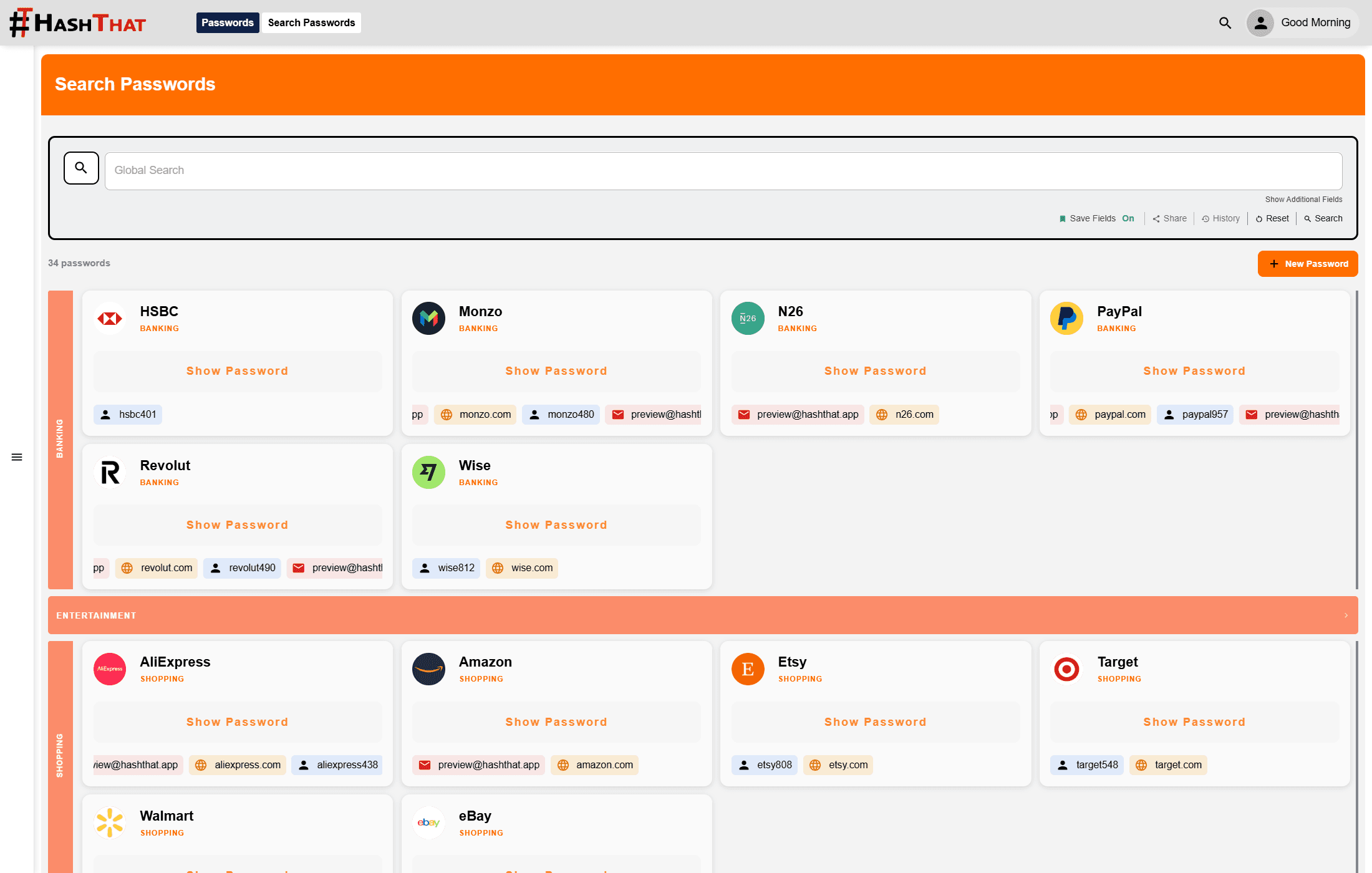
Vault preview
Passwords Pro
Unlimited vault, sharing, imports
Notes Pro
Markdown, HTML, folders, tags
Security Pro
2FA, device checks, recovery file
Link Shortener
QR codes, scheduling, analytics
Start with the free vault
Upgrade the exact modules you need when the workflow is ready.
Start free
Upgrade only the modules you need
31-day Pro trial
Test paid features before committing
Web and mobile
Use HashThat wherever you work
Zero-knowledge
Private data stays unreadable to us
Trust details
Clear answers before someone trusts a vault
HashThat explains the security boundary plainly: what is encrypted, what happens during recovery, and which controls protect account access.
Zero-knowledge vault model
Passwords and encrypted notes are protected before storage, with private fields decrypted on the user's device.
Recovery without support exposure
Recovery files are parsed and decrypted locally, so users can recover access without handing HashThat their secrets.
Optional secret key
Security Pro can add a second master credential for users who want another layer around protected vault keys.
Starter paths
Pick the first workflow worth securing
HashThat is modular, so visitors can buy the outcome they need now instead of comparing oversized bundles.
Protect your personal vault
Start with unlimited passwords and add stronger account controls when your vault becomes business-critical.
- Unlimited encrypted passwords
- Secure sharing
- Import from existing vaults
Write private notes
Keep recovery details, sensitive drafts, and technical notes encrypted with folders, tags, Markdown, and HTML.
- Unlimited encrypted notes
- Markdown and HTML
- Folders and tags
Secure a small team
Combine Passwords Pro with Security Pro to manage access, devices, approvals, and recovery with less manual work.
- 2FA and device checks
- Login activity alerts
- Recovery file support
Run cleaner campaigns
Use short links, QR codes, scheduling, click limits, and analytics without sending visitors through messy URLs.
- Unlimited short links
- QR codes
- Click analytics
Available now
Live tools for passwords, notes, account security, and links
HashThat focuses on the modules you can use today: an encrypted password vault, private notes, stronger account protection, and controlled short links for cleaner sharing.
Password Manager
Save, generate, search, and share credentials in an encrypted vault built around zero-knowledge privacy.
Zero-knowledge encryption
ExploreSecurity Pro
Protect account access with 2FA, device verification, login approvals, and recovery safeguards.
Available now
ExploreEncrypted Notes
Keep private notes, recovery details, and sensitive reminders encrypted and synced across devices.
Zero-knowledge encryption
ExploreLink Shortener
Create cleaner links with QR codes, scheduling, click limits, and analytics for every campaign.
Available now
ExplorePassword Search
Encrypted vault
Inside the app
A closer look at the HashThat workspace
Move between real HashThat screens for passwords, notes, short links, and analytics. The preview keeps the app visible in one focused area and opens larger when you want to inspect details.
What users say
Built for people who want useful tools without giving up privacy.
"Finally a password manager that actually takes zero-knowledge seriously. HashThat is the only one where I genuinely believe nobody else can see my data."
Sarah M.
Freelance Designer
"Sharing passwords with expiry dates and instant revocation has saved our team so many headaches. The Security Pro bundle is absolutely worth it."
James T.
Startup Founder
"I love that I only pay for what I use. I started with passwords, then added Security Pro later without being pushed into a bloated plan."
Priya K.
Software Engineer
Why HashThat
Privacy should be built into the workflow, not added later
HashThat is designed around encryption, access control, and clear ownership of your private data.
Typical cloud tools
- Sensitive data stored where a provider breach can expose it
- Provider employees may technically be able to access private content
- Passwords are often shared through chats, email, or spreadsheets
- Access is hard to revoke once a secret has been sent
HashThat
- Passwords are encrypted before they leave your device
- Zero-knowledge design means HashThat cannot read your private vault data
- Secure sharing lets you control who can access sensitive items
- Device verification, logs, and permissions add practical safeguards
Latest articles
Learn better ways to protect your digital life
Practical privacy and security guidance from the HashThat team.

The World’s First Password: A Secret That Has Survived 4,000 Years
Passwords have protected secrets for thousands of years. From ancient battlefields to modern computers and online accounts. Discover the fascinating history of the world's first passwords and why they still matter today.

Encryption vs Hashing: The Difference Explained Without the Tech Headache
Encryption locks data so it can be opened later. Hashing creates a one-way fingerprint to verify data without revealing the original.

Rising Prices, Rising Scams: Why Digital Security Matters More Than Ever
As prices rise, scammers use fake discounts, refunds, subscription alerts, and payment warnings to pressure people into clicking. Here’s why digital security matters more than ever.
Ready to buy
Start with the plan that removes your biggest security risk
Compare modules, add only what you need, and check out when your account is ready. The free plan stays available if you want to try the app first.
What happens next
- Choose one module or build a bundle
- Enter your account email at checkout
- Manage upgrades and cancellations from your account