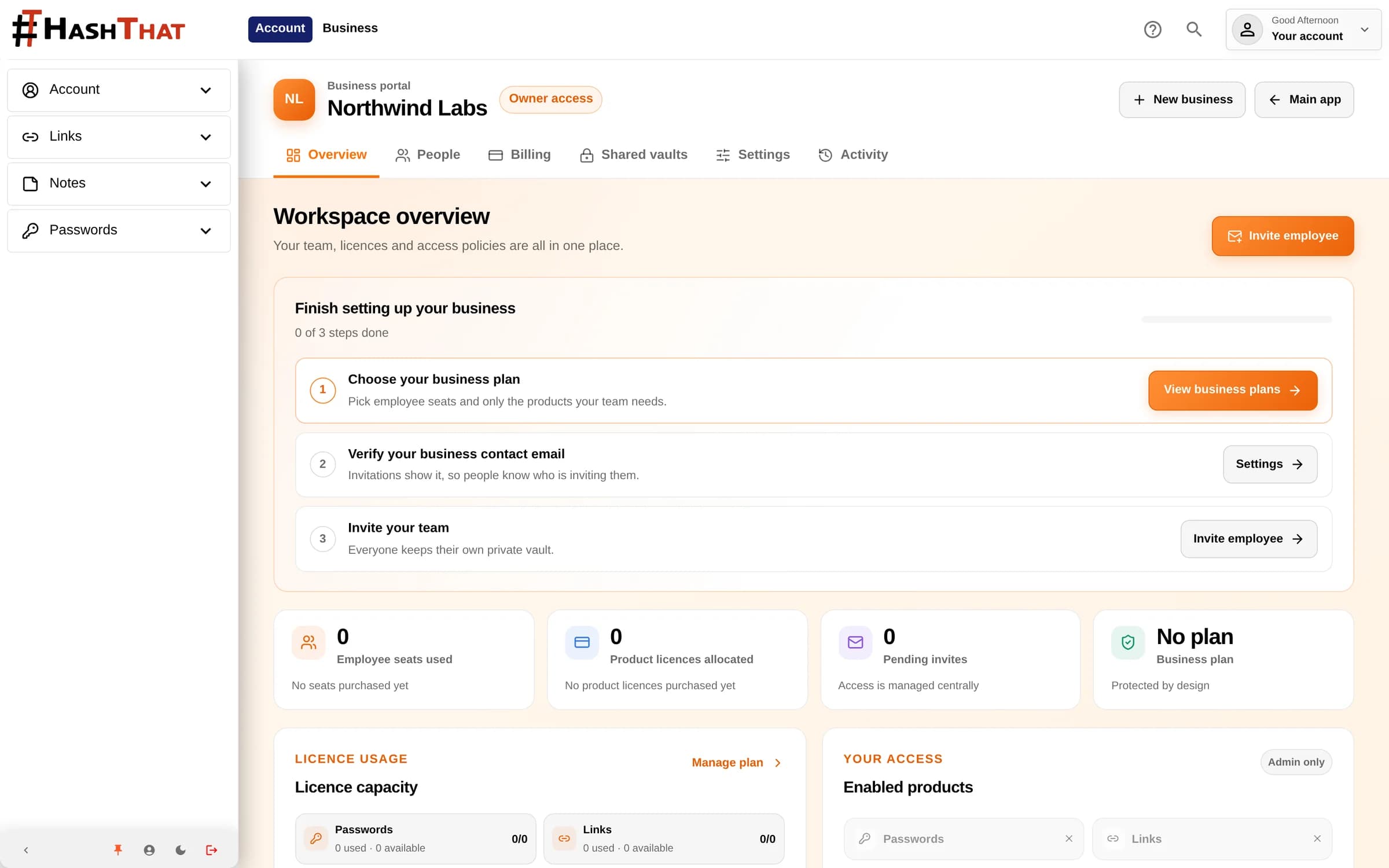
Everything a team needs to share safely
Self-serve from day one. Set up the workspace, invite people and adjust capacity without waiting on sales.
A workspace for each business
Each business has its own people, vaults, invoice details and subscription. Manage several workplaces from one account and keep them fully separate.
Seats with optional licences
Every person uses one employee seat. Add Passwords Pro, Notes Pro, Security Pro or Links Pro only for the people who need them.
Team vaults
Create a vault for a team, department or project, then add people as viewers, editors or managers. Store shared passwords, notes and links in one place, and limit a sensitive item to chosen people when the whole vault should not see it.
Clear roles
Members use the products and vaults they are given. Admins manage members and licences. The owner controls billing and the business identity.
Invitations that wait for consent
Invite people before they have an account, by email or with a link you can copy. Resend, replace or revoke pending invitations, and change their role or products before they accept.
Activity history
See who changed access, sent invitations or updated the business, newest first, with older activity a click away.
Privacy boundaries
Admins manage access, not private content
Bringing HashThat to work does not hand your employer a key to your personal vault. Access to shared content is always granted explicitly.
- Admins manage licences and products. They cannot read employees' personal vaults.
- Joining a workplace never opens its vaults. Even admins need a vault manager to add them.
- Removing someone from a vault revokes their vault keys and stops future access.
- Optional automatic sharing sends new workplace passwords to the owner as read-only. Employees see this policy before they accept an invitation.
- Team vault contents use the same zero-knowledge encryption as personal vaults.
Billing that scales with your team
Seat and licence prices are shown before checkout for the billing period you choose. The owner manages the subscription, and everyone else just gets to work.
- Choose employee seats and product licences in the web app, then pay securely with Stripe.
- Add or remove seats at any time from the web app, with the prorated amount shown before you confirm.
- Pay in your preferred currency when that currency is available.
- Add the business name, billing address and VAT or tax number to invoices.
- Open invoices, payment methods and renewal settings from the Business Portal on the web.
- The owner manages the workspace without needing an employee seat of their own.
Getting started
From sign-up to shared vault in four steps
Create a workspace
Any verified HashThat account can create a business workspace from the web app.
Choose seats and products
Pick the number of employee seats and add only the product licences your team needs.
Invite your team
Assign each person a role and their products. In the web app, missing capacity can be bought as part of the invitation.
Share through vaults
Create team vaults and add people explicitly, so access always matches the work.
Frequently Asked Questions
Can business admins read my personal vault?
No. Admins can assign seats and product licences, but they cannot read or take ownership of personal vault content. Joining a workplace does not open its vaults either: a vault manager has to add each person.
Does someone need a HashThat account before I invite them?
No. You can invite any email address. Access starts only after that person signs up with the same email, verifies it, reviews the invitation and accepts it.
Can I change the number of seats later?
Yes. Owners can add or remove employee seats from the Business Portal. You see the prorated amount before confirming, and a reduction may create a billing credit rather than a cash refund.
Does every employee need every product?
No. Each person uses one employee seat. Passwords Pro, Notes Pro, Security Pro and Links Pro licences are optional and assigned per person, so you only pay for what each role needs.
What happens when someone leaves?
Remove them from the workplace or suspend their seat. Their vault access and keys are revoked and their seat and licences become free for someone else. HashThat cannot erase copies a person already made before access was removed.
Can I manage my team from the mobile apps?
Yes, for everyday work. In the iOS and Android apps you can invite people, assign, suspend or remove them within the seats you already have, manage vaults and item access, and review activity. Buying seats or licences and changing billing are done in the web app.
Ready for your team
Give your team one secure place to share credentials
Sign in to HashThat, open the Business Portal and create your workspace. Have questions about larger rollouts? Our team is happy to help.